Arrays, ArrayLists, oh my!
Ok, so we've talked about Arrays. We've talked about ArrayLists.
But there's one more thing College Board wants you to know: 2D Arrays.
Breaking down 2D Arrays
We understand Arrays like this:
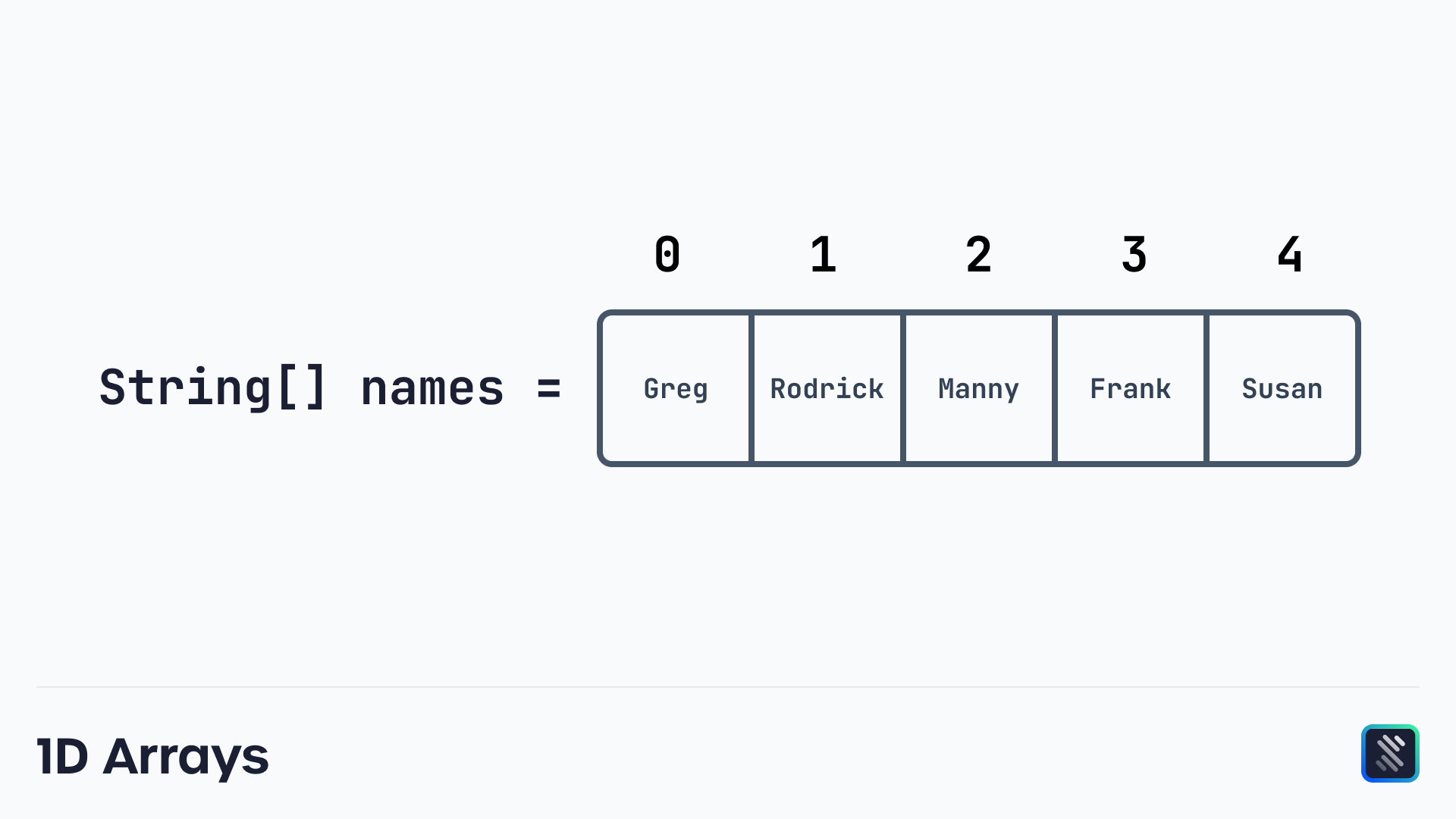
Items in an array each have their own index and value. For example, the index of "Rodrick" is 1.
This is a single dimension, with only one layer of complexity, which is the single index.
2D Arrays have two indexes, similar to a coordinate plane.
It's an array of arrays, basically. And it looks like this:
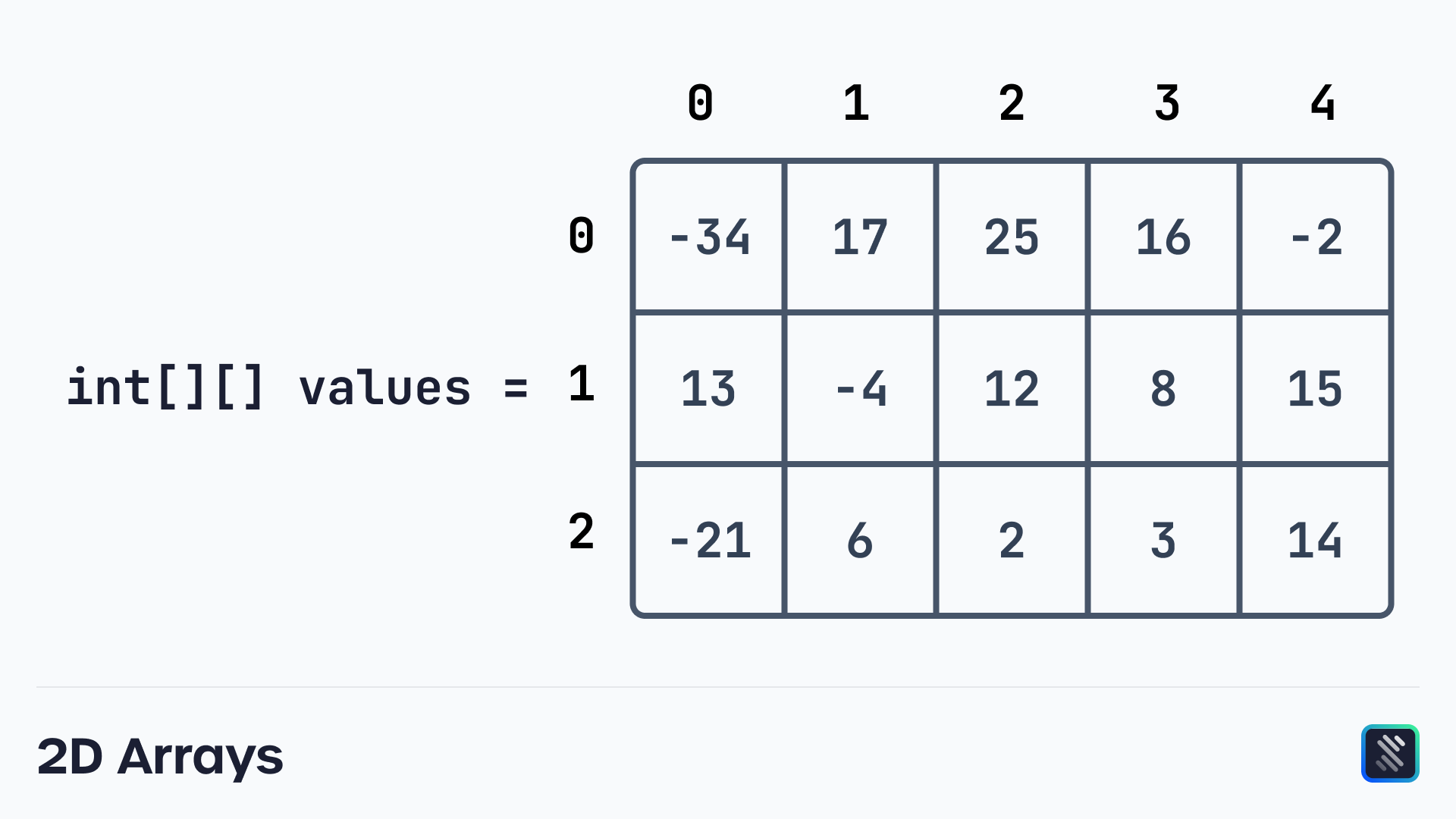
Rather than call a single index, we call two. First, the index of the array the value is in, and then the value's index within that array.
For example, to get the 12 in the middle of the grid, we would write:
int value = values[1][2]; // sets to 12
We first get the array, which is array 1. Then, we get the index of the 12 in the array, which is at an index of 2.
Creating 2D Arrays
Creating a 2D Array is very similar to creating a 1D Array:
int[][] values = {{-34,17,25,16,-2},{13,-4,12,8,15},{-21,6,2,3,14}};
That's basically it!
Initalizing without values
If you want to create a 2D Array without set values, you can do so as long as you set the number of rows (arrays) and columns (items in the array)
int rows = 3;
int cols = 3;

String[][] ticTacToe = new String[rows][cols];
You will need to set the values of the 2D Array since they aren't specified before. You can do it the same way as normal arrays, as long as you specify both indices.
length
Before we end out this lesson, let's talk about length. In a normal 1D Array, length` returns the number of items in the array.
It does the same thing in 2D Arrays. Use length to get the number of arrays in the 2D Array. Then, you can use [].length to get the number of items within each of these arrays.
int[][] values = {{-34,17,25,16,-2},{13,-4,12,8,15},{-21,6,2,3,14}};
System.out.println(values.length); // prints 3

System.out.println(values[0].length); // prints 5
System.out.println(values[1].length); // prints 5
System.out.println(values[2].length); // prints 5
The last three prints are the same, as every array in a 2D Array must have the same number of array items.