What is an object?
Before we get into this, we must learn what an object is in GameMaker Studio 2. An object is basically an entity almost. Objects can contain different amounts of events, and we can set how these events occur and behave through GML or Drag and Drop.
Creating our objects
Go to the resource panel on the left side, and right-click on "Objects", select "Create Object" and you will see this:
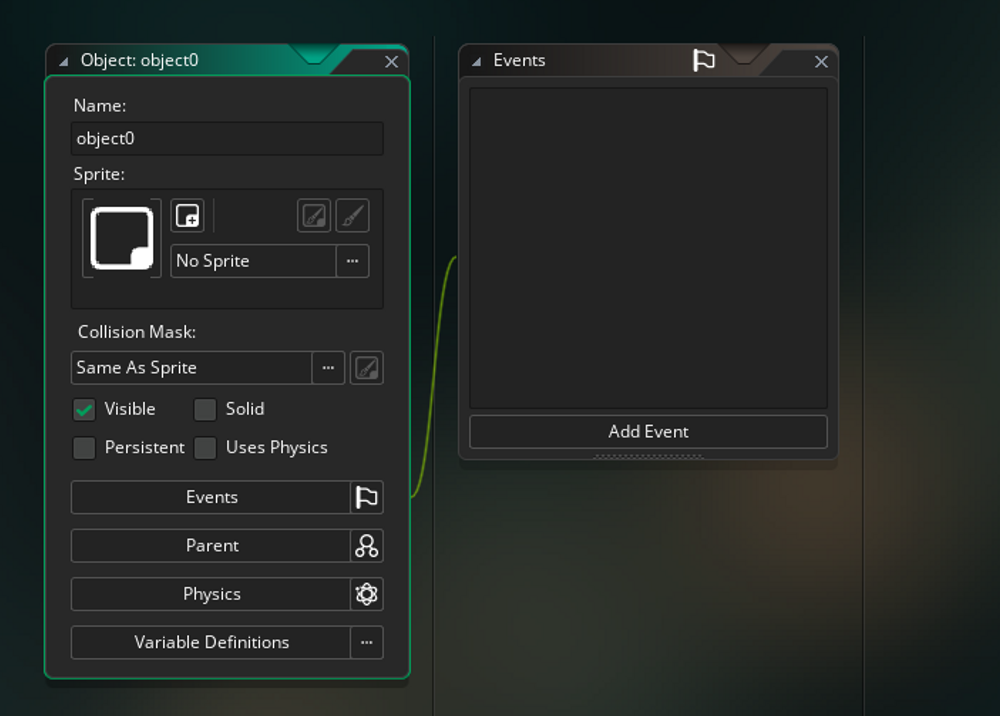
Click on "No Sprite" as it needs a sprite and give it the player sprite we've just made. Now name it objplayer. Do the same for the enemy, and walls but make sure to name them objenemy and obj_wall.
What is an instance?
When we use our objects, we basically create instances of our objects which are basically copies of them.
What's next?
Now, we're going to make the environment for our game.