Editing the room
Now we're going to go back to the resource panel on the left and click on rooms and double click on "room0". Notice how we skipped to editing the room immediately? It's because GameMaker Studio makes a room on default for every room. We are not using more than one room in this lesson, but if you ever wanted to implement another level or something, you can right-click on "Rooms" and create another room.
Placing objects
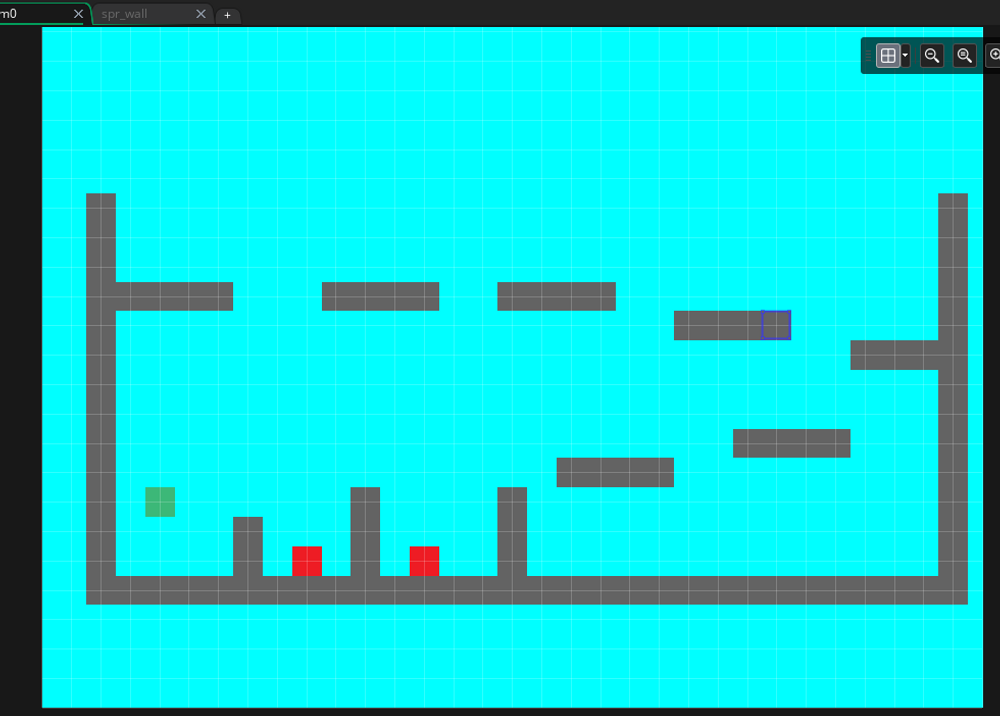
Drag the objects you've just made from the resource panel. An easy way to put multiple of the same thing is to hold your left mouse button and alt to place multiple. You can arrange them any way you want, but I arranged mine like this:
What's next
Now we're going to cover how we can run the game for testing purposes next.