Box Model
The CSS box model can be used to understand layout. The box model includes the content of an element, its padding, border, and margin.
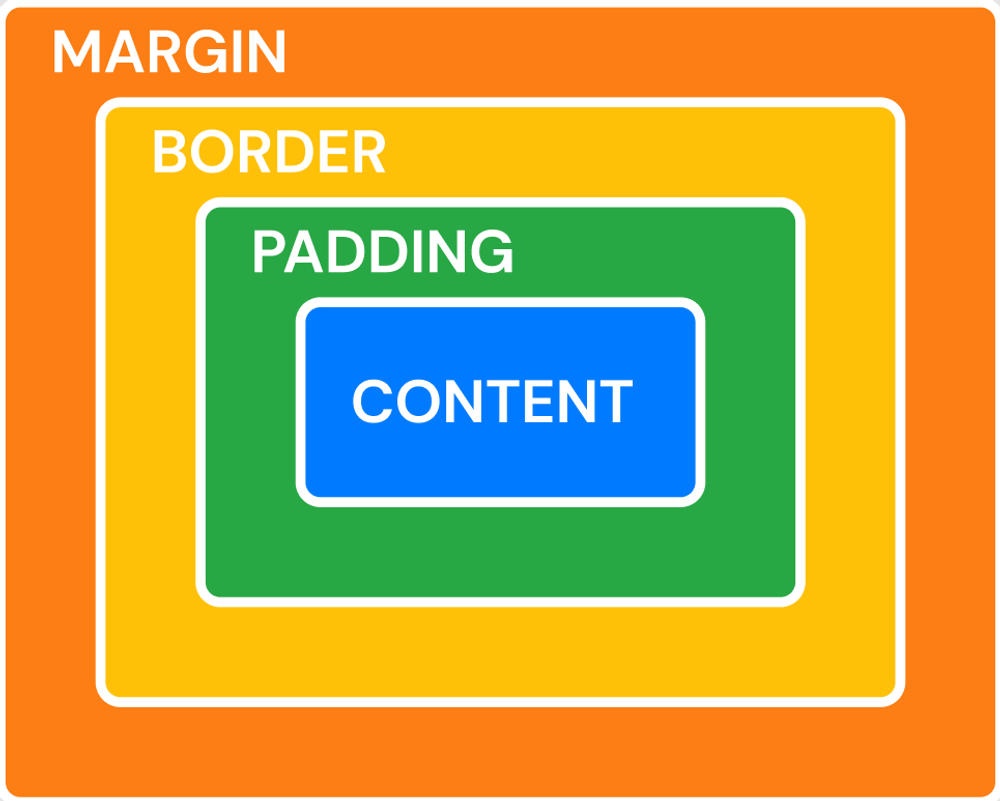
To better understand the box model, we're going to make an example box in our document. First, create a new element in the body of your HTML document:
<h1 id="boxModel">content</h1>
Then, we're going to give this box a color, a width, and a height in CSS so that we can clearly see it.
#boxModel {
    background-color: blue;
    width: 500px;
    height: 200px;
}
This is our content, which you can see in the box model above shown in blue.
Next, we're going to give the box a border. The border property in CSS has three inputs - the width of the border, the style of the border (solid, dashed, dotted, and doubled are the most common), and the color.
#boxModel {
    background-color: lightblue;
    width: 500px;
    height: 200px;

    border: 5px solid yellow;
}
Then we'll add the padding, which is transparent and adds spacing between the content and the edge of the background/border.
#boxModel {
    background-color: lightblue;
    width: 500px;
    height: 200px;

    border: 5px solid yellow;

    padding: 20px;
}
Finally, the margin adds spacing on the outside of the element's border:
#boxModel {
    background-color: lightblue;
    width: 500px;
    height: 200px;

    border: 5px solid yellow;

    padding: 20px;

    margin: 50px;
}
Individual sides
The margin and padding can be specified only for a certain side:
- margin-left
- margin-right
- margin-top
- margin-bottom
The same thing can be done for padding (for example, padding-left: 5px)