Layer Editing
We just learned what a layer was and what we could use layers for. Now we are going to dive deeper with the layers and actually use the layers this time. We are going to learn how to adjust lighting within certain parts of a photo and not just the whole photo. We will also learn some important tasks that we will reuse in later parts. I am still going to stay with the last image(the soccer player). Delete the last layer, for it is not needed anymore. Also, on the right panel, change from the Learn tab to the Adjustment tab. We are going to lower the exposure lighting on the body portion and lightly higher the exposure lighting on the facial portion.
Layer Masks
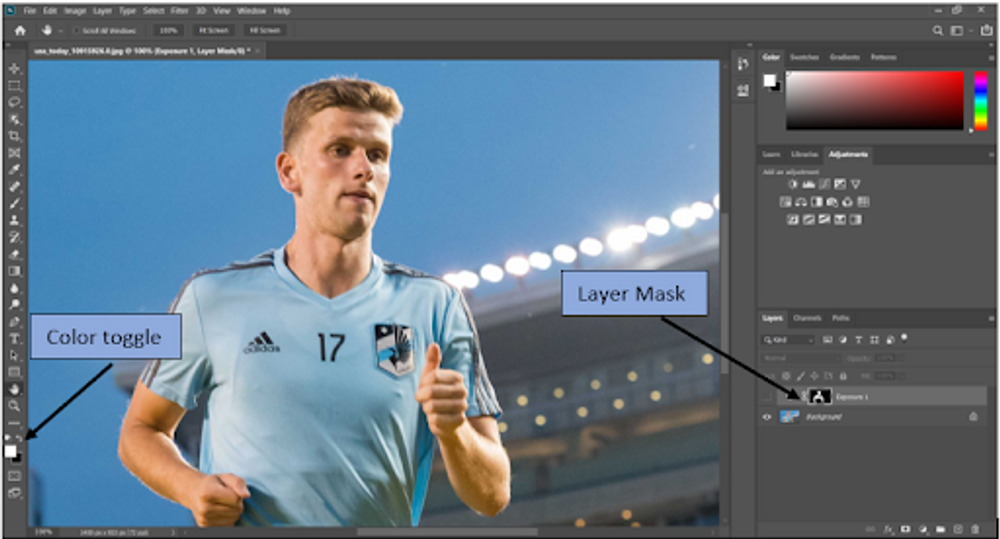
So in this image, we want the face and upper body to have more pop and light to it. If we select the “Exposure” button in the Adjustment tab, we have what is called a mask. You can look in the bottom right hand corner where the old layer was and you can see the mask. There is also a panel that shows up that allows you to change the exposure level. When you higher or lower the levels, you can see that the whole photo is changing brightness, which is not what we want. To change this, select the image tab, select adjustments, and then select invert. What this does is it changes the photo to only accept the inverse of colors. To see this in effect, use the toggle color key to change the color to white. Then select the paint brush and color over the portion that you would like exposed. This is the image after the touches were made.
Black & White Adjustment
Another adjustment button you have available to you is Black & White. This adjustment allows you to turn the whole image to monochrome, but also allows you to paint over the parts you want colored. That is how professional photographers can make people black and white but not their clothes. All you have to do is select the Black & White, then mess with the sliders until you like the contrast. After that you just paint over the parts you want color back.