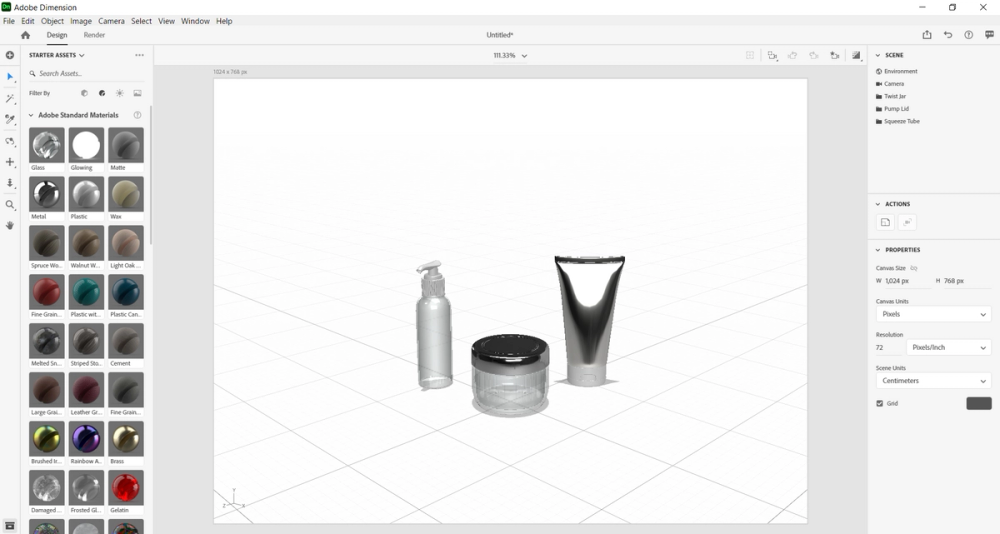
Altering materials
First, select the pump lid with your cursor and then in the Scene portion located to the right of your screen the pump lid will break down into the Body and the Lid.
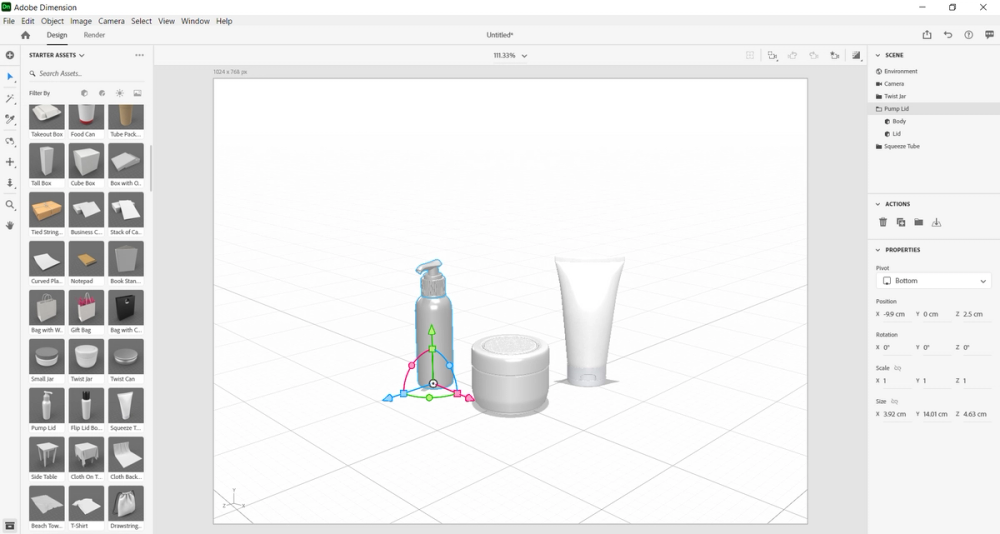
Select the Body of the pump lid and then go to the Materials section in Starter Assets. Then, choose the material labeled as Glass. If you followed the steps appropriately, your canvas should look like this:
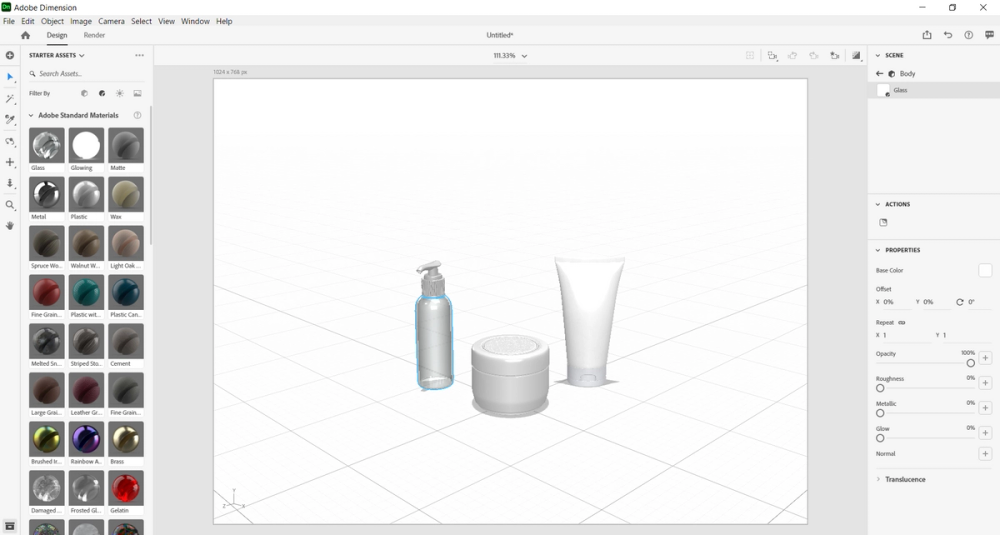
Now, select the twist jar and it will break down into Lid and Jar in the Scene section.
Choose Jar and then in Materials in Starter Assets select the option labeled as Glass.
Then, deselect by clicking into any open space, and next, select the twist jar again.
Now, click on Lid under the twist jar in the Scene section and in Materials in Starter Assets choose the option labeled Metal.
Next, select the squeeze tube and it will break down into Body and Lid in the Scene section.
Choose Body and then in Materials in Starter Assets select the option labeled as Silver Glossy.
This option is listed under the Substance Materials.
Afterwards, deselect by clicking into any open space, then select the squeeze tube.
Now, click on Lid under squeeze tube and in the Materials section in Starter Assets select the option labeled as Plastic.
Now, deselect by clicking into any open space.
If you followed all the steps appropriately, your screen should look like this: