Getting started with the end of the game
To get started with making a "Game Over" screen after the player has hit either the floor, ceiling, or enemy, there needs to be an "Event Observer" keeping track of whether the player is alive or not.
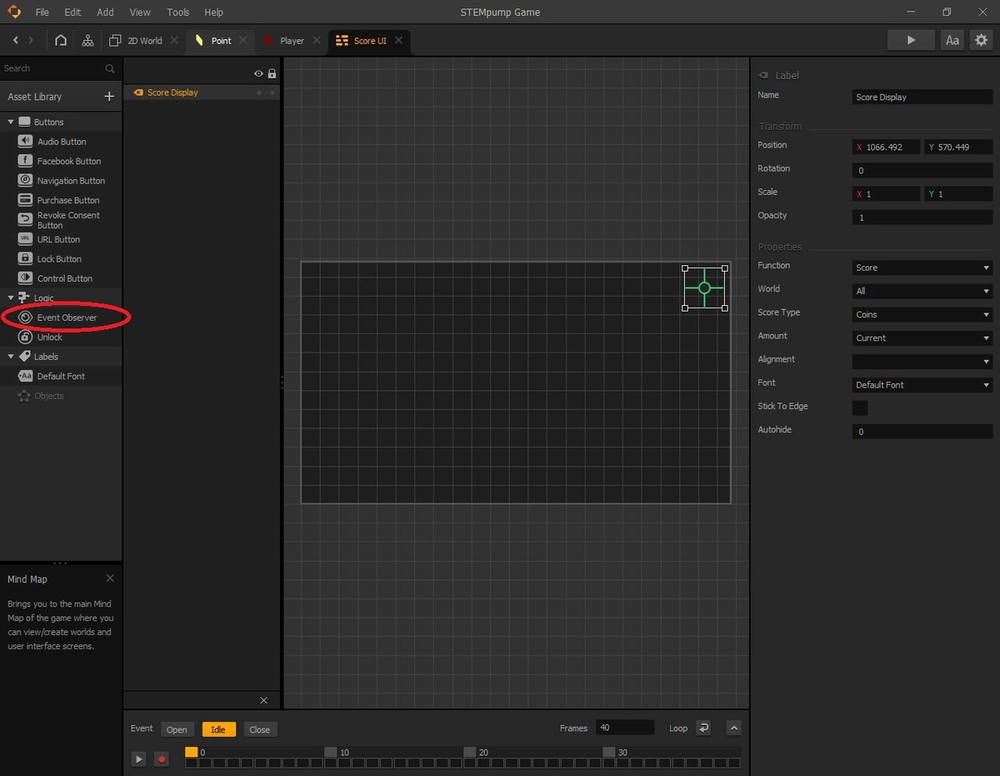
Drag the Event Observer into the grid. It doesn't matter where in the grid it is located because it is invisible to the player. It just has to be somewhere in the dark grid.
Creating the "Game Over" screen
Now, that we have an event observer checking if the player dies, let's actually make the "Game Over" screen.
To do this, we need to go back to the Mind Map and make another UI screen node. We will call this one "Game Over", and connect the "Event Observer" output of the "Score UI" node to the "Load" input of the "Game Over" node.
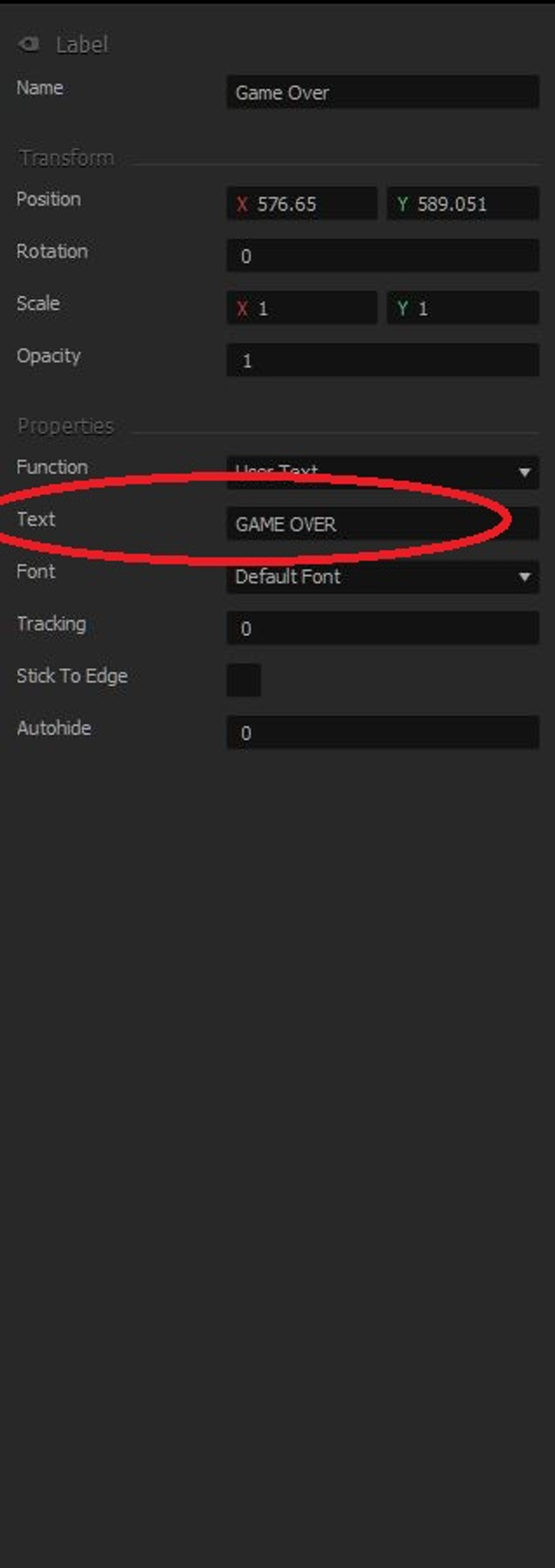
Double click the "Game Over" node to edit it, and add a "Default Font" to the grid and have it say "Game Over", or anything that is close enough to that. You type this next to the "Text" area on the right side.
Adding other things in the "Game Over" screen
We also want to put in a score area of what the player got when they lost the game. To do this, we are going to add another "Default Font" and name it "Final Score".
Let's duplicate this text (by pressing D) and call this new text "Best Score".
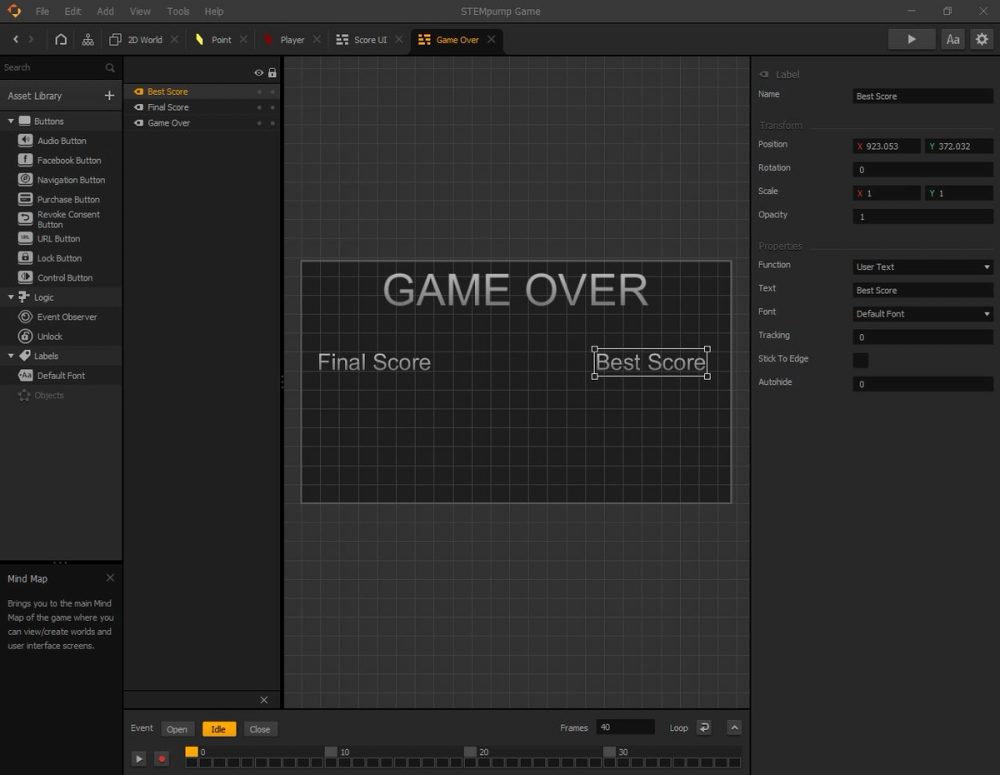
While one of the text boxes is selected, hold the Shift key and click on the other text box to select both of them. Once both text boxes are selected, press S to duplicate the text down.
Make both of the newly duplicated text boxes have a "Function" of "Score" instead of "User Text".
For the score box that is below "Final Score", change the amount to "Current". Be sure to check that the score text below the "Best Score" text box has an "Amount" of "Best".
NOTE: If you had to change the "Score Type" to "Coins" before, make sure that you also change them for the score boxes in the "Game Over" screen, or else the score will always stay zero when you die.
Final touches
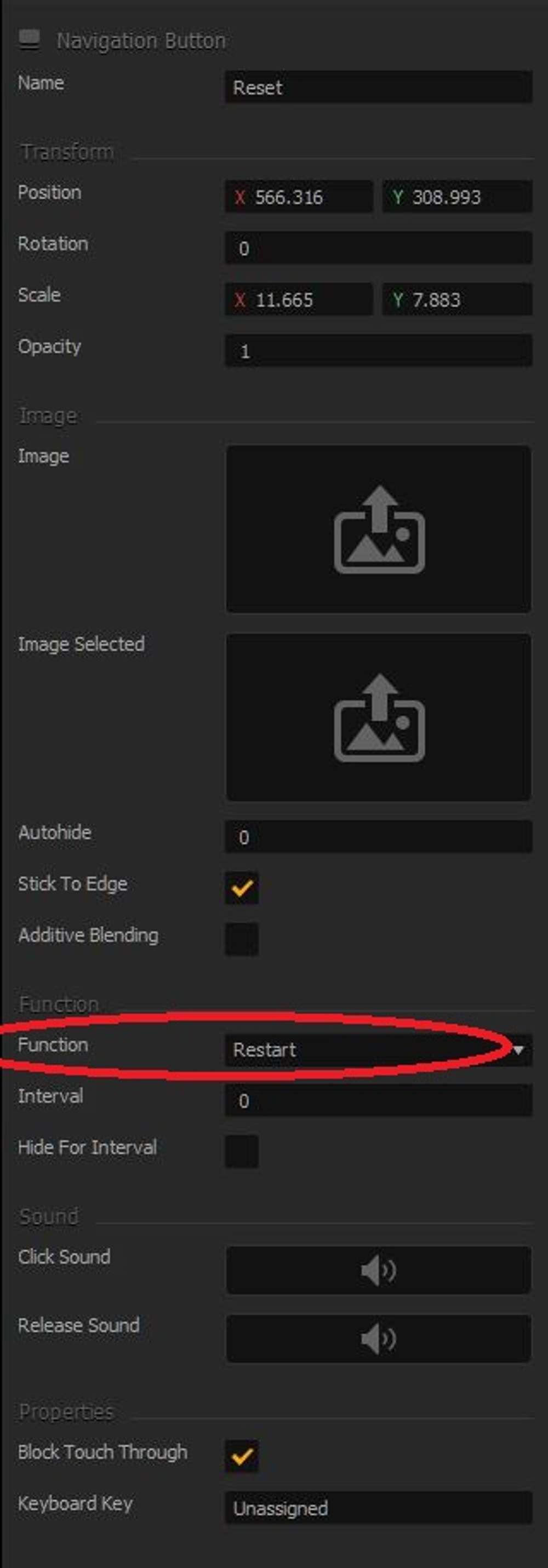
To allow the player to restart the game once they have died, we need something called a "Navigation Button" that should cover up the entire screen so that no matter where the player clicks, they will be redirected back to the game.
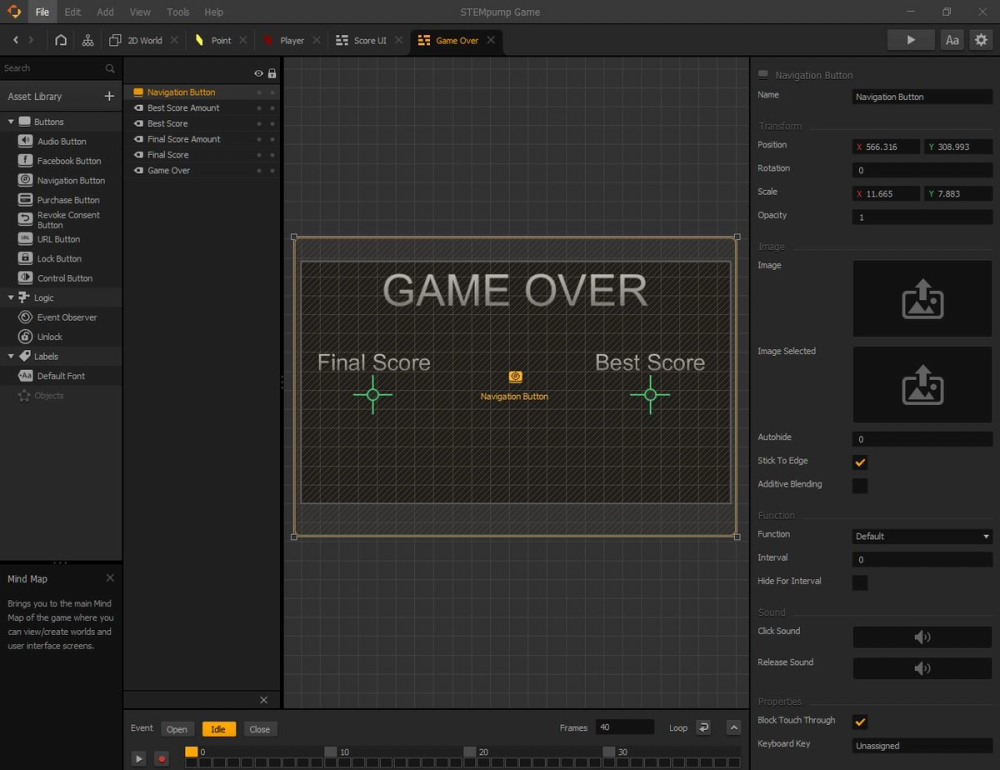
Rename the navigation button to "Reset" and change its "Function" to "Restart".
The last thing we need to add is a main menu before the player starts the game.