Making the main menu screen
Go back to the Mind Map and drag in another "UI Screen" node. Rename this one to "Main Menu".
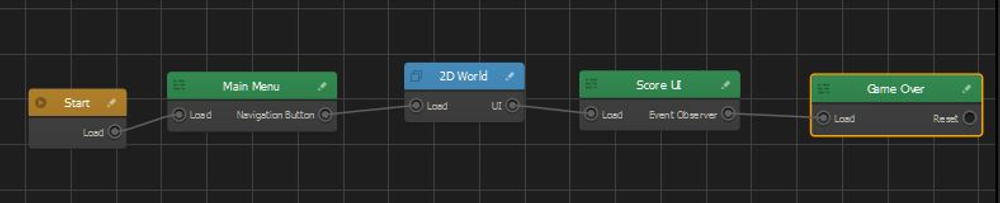
Connect the "Load" from the "Start" node to the "Load" from the "Main Menu" node. You will notice that the link between the "Start" node and "2D World" node goes away.
Double click on the "Main Menu" node and add a "Default Font" to the center of the upper border of the grid. Rename this default font to "Main Title" and in this text box, you will enter the name of the game.
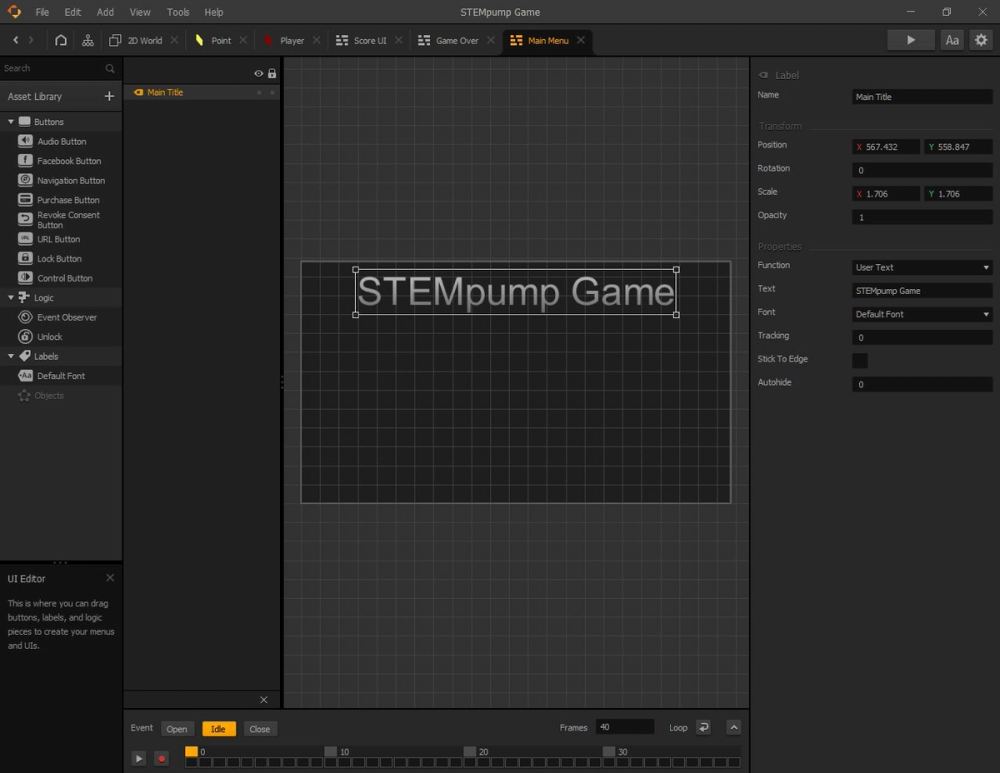
We are going to have another text box that has the words, "Click to Play" on it.
After that, we will add a Navigation Button that will direct us to the game. Head over to the Mind Map to connect the "Navigation Button" output of the "Main Menu" node to the "Load" input of the "2D World" node.
All together the final Mind Map should look like this:
In the next lesson, we will view some ways we can make the game more interesting as an experience.