Why do we need a point system?
The game as is now does have some fun qualities to it. You have to avoid incoming obstacles and you are not allowed to hit the floor or the ceiling.
However, as time goes on, this can get quite boring after a while because you have no measure of how far you have been going and how well you're doing.
This is where point systems come in. On top of all the obstacles and enemies you have to avoid, you have to collect points in order to bring your score up, measuring how well a player is performing at the game. This provides a much more engaging experience while playing the game, and is a necessary component for making a game fun to play for an extended amount of time.
How do we create our points?
As always, the first thing we need to do when we make a new asset is go to the Asset Library and find an asset that looks like it can be collected.
Of course, you can choose whatever asset you would like, but if you are unsure of what asset you want to choose, we will be using the "Coin Left" asset.
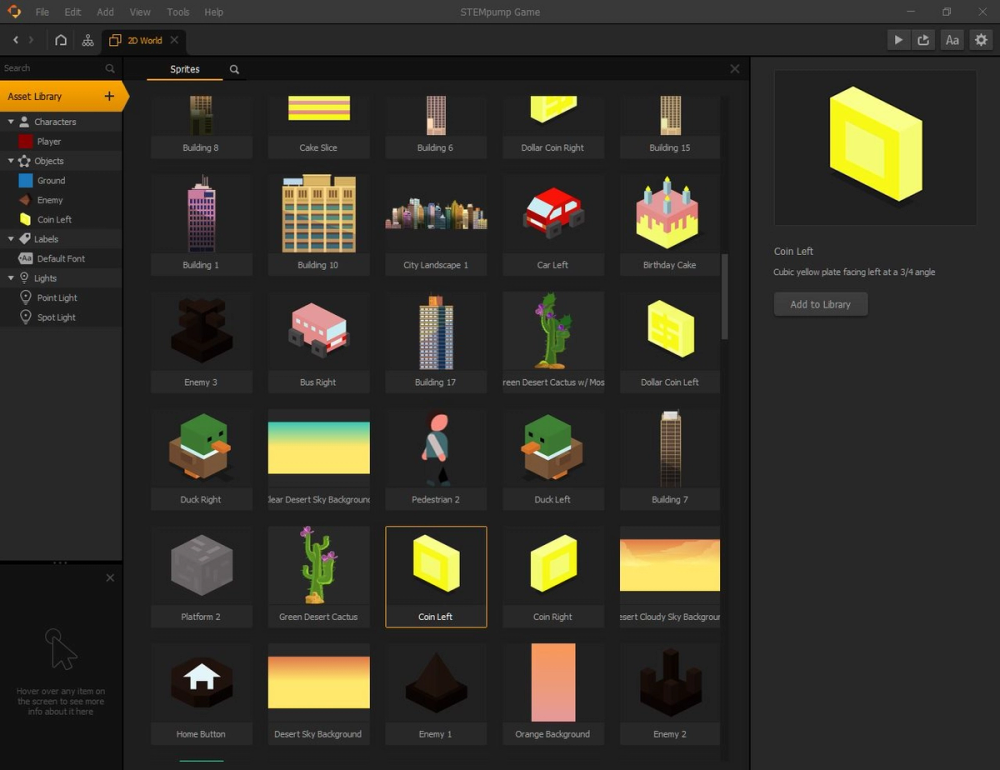
You can now exit the Asset Library and select your new asset in the Assets panel.
Let's rename our asset from whatever asset name it was before to "Point", and set the collision group to "Coin".
How do we make our actual points?
In order for our points to mean anything and hold a value, we need to double click on the "Point" asset and see its contents and nodes.
In the search bar on the left side of the screen, look for the "Add Point" node.
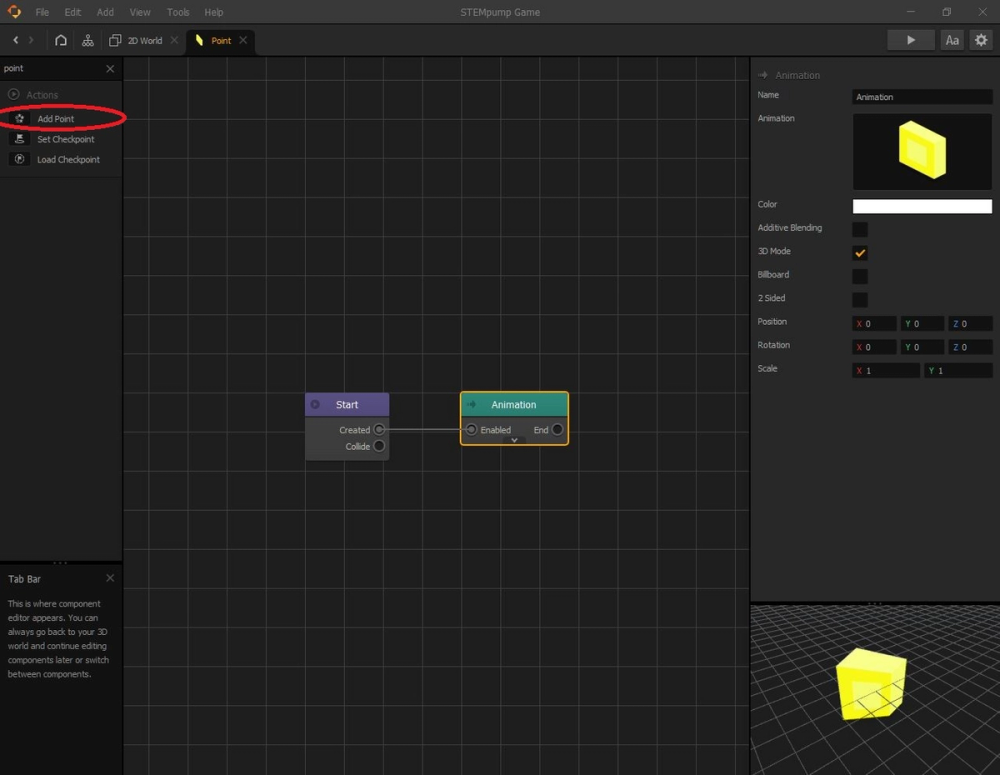
Drag the "Add Point" node into the grid.
We also need another node called the "If Collide" node, so we need to search for this one, as well
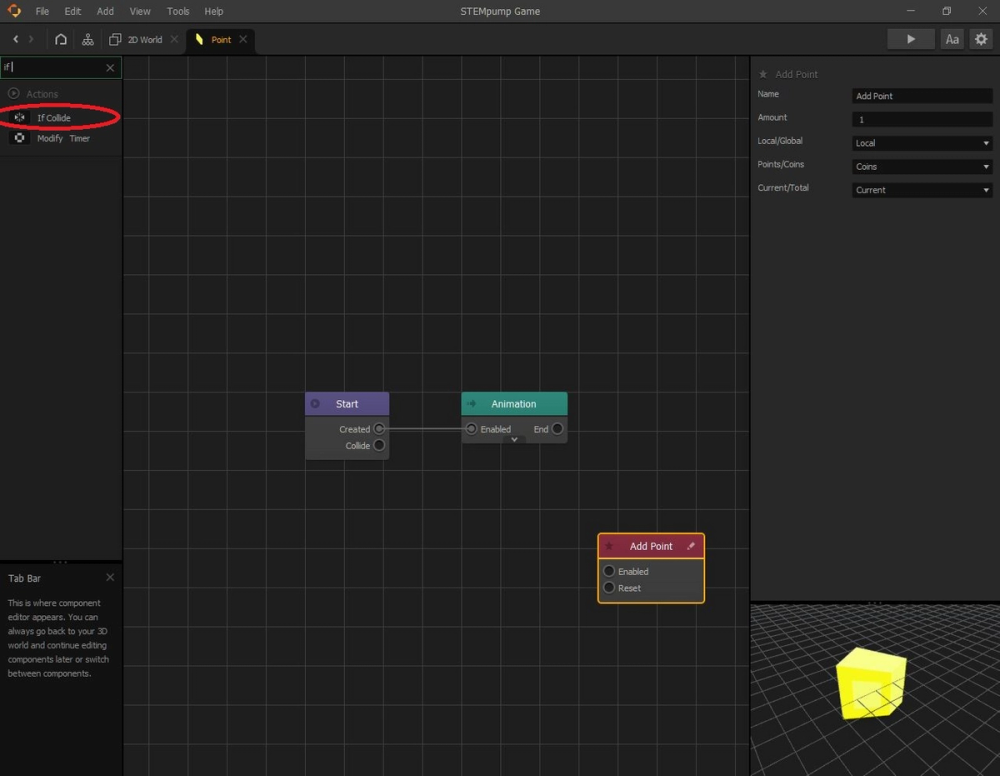
Drag the "If Collide" node into the grid.
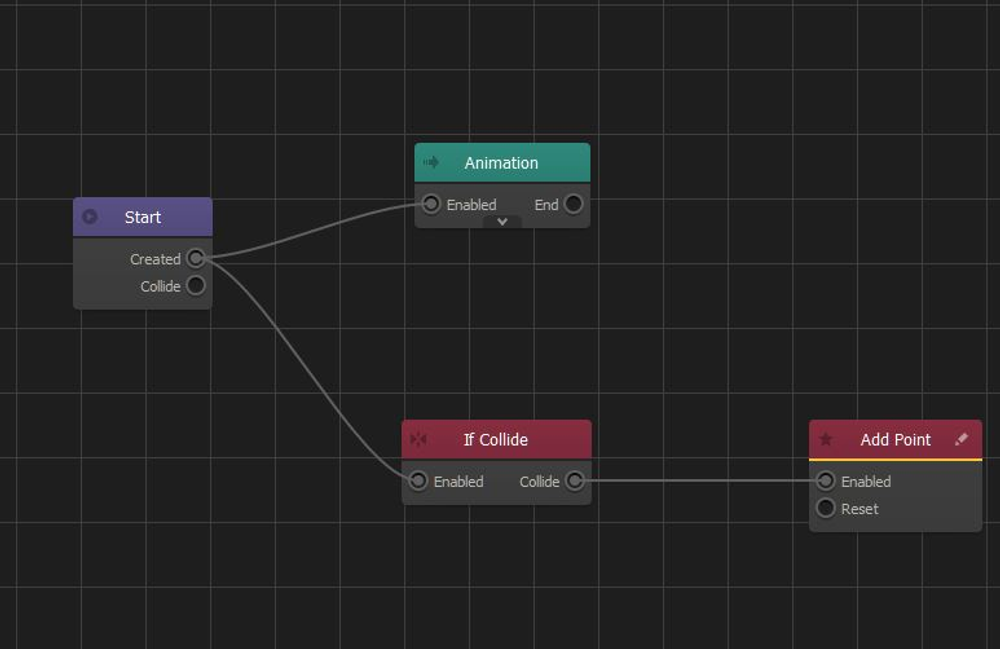
Now that we have our nodes, it's time to link them together.
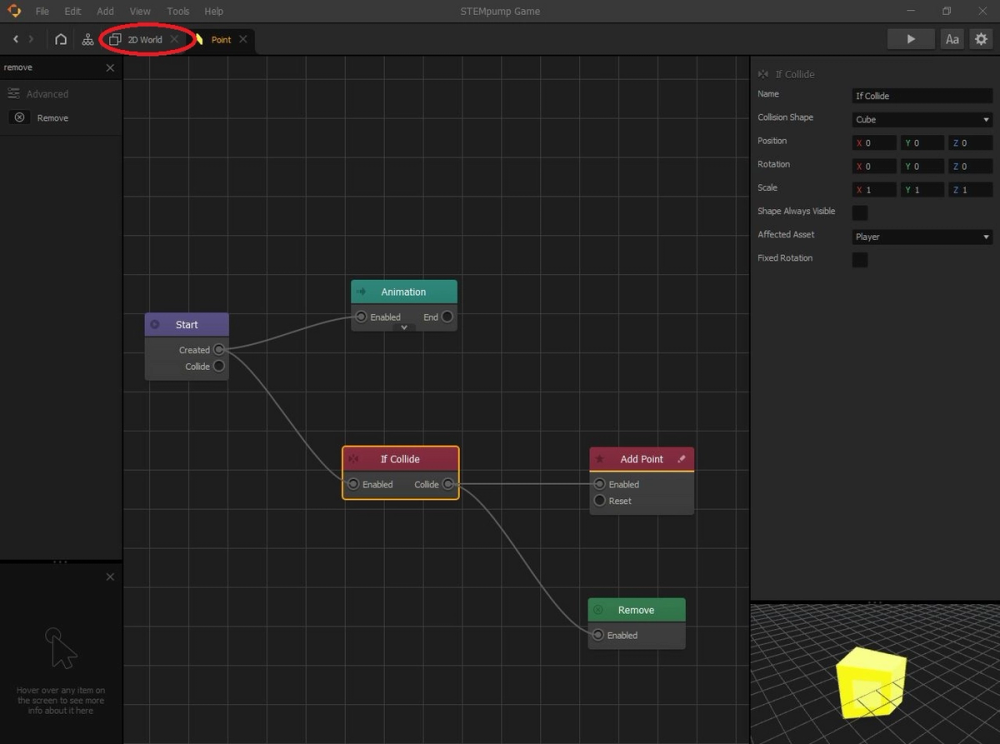
First, we want the "Created" output of the "Start" node to connect to the "Enabled" input of the "If Collide" node. From there, we want the "Collide" output of the "If Collide" node to link to the "Enabled" input of the "Add Point" node.
In the end, the nodes should be connected like this:
Now, we want to select the "If Collide" node by clicking it once. On the right side of the screen, there should be an area called "Affected Asset". From there, we want to choose the "Player" collision group.
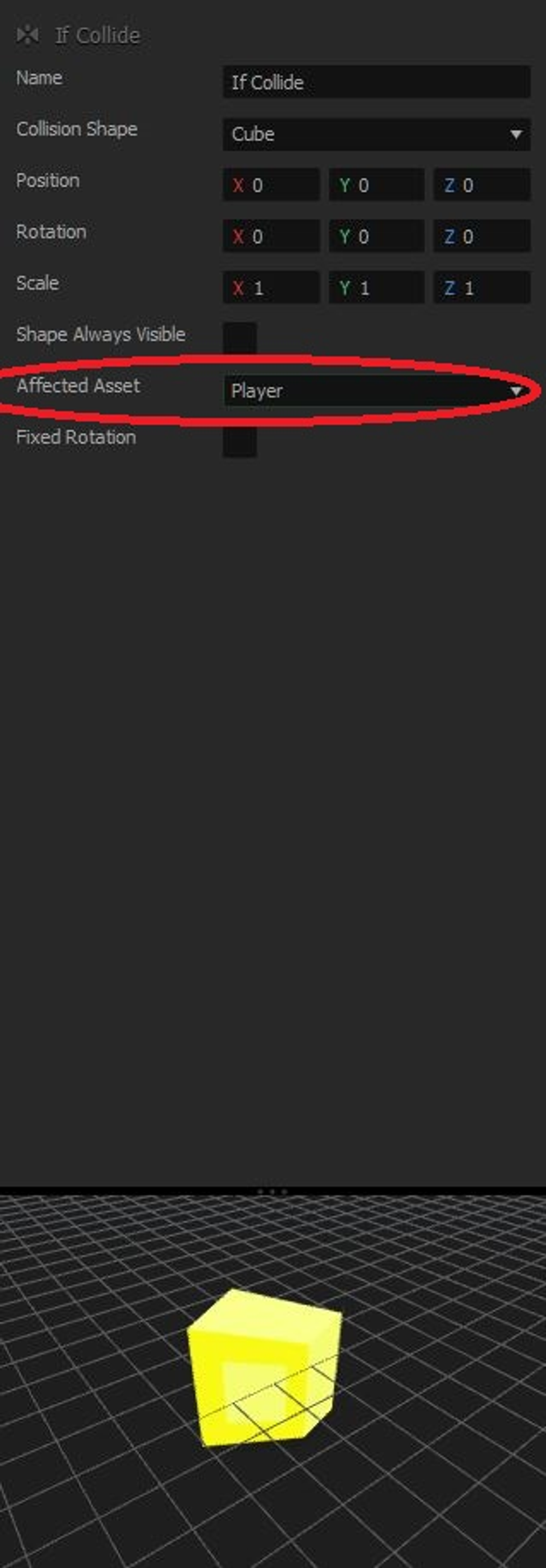
Together, all this basically says that if the player collides with the coin asset, then a point should be added to the overall score.
Now, when you think of a coin in a game, it usually disappears once you get it in order to show that you actually got it. In order to make our coins disappear once we collect them we need another node called the "Remove" node.
From here, we need to connect the "Collide" output from the "If Collide" node to the "Enabled" input of the "Remove" node.
Putting our point assets into the game
Now, that we have all the properties of the coin made, we can add our "Point" asset to each of the scenes we made.
You can go back to the "2D World" tab in the upper left corner next to the Mind Map icon, and drag your point assets to your scenes. Resize the point asset and hit boxes if you need to.
Now that we have made our point system, let's make a scoring system that displays how many points you get!